Smart Home Security Devices You Should Know About
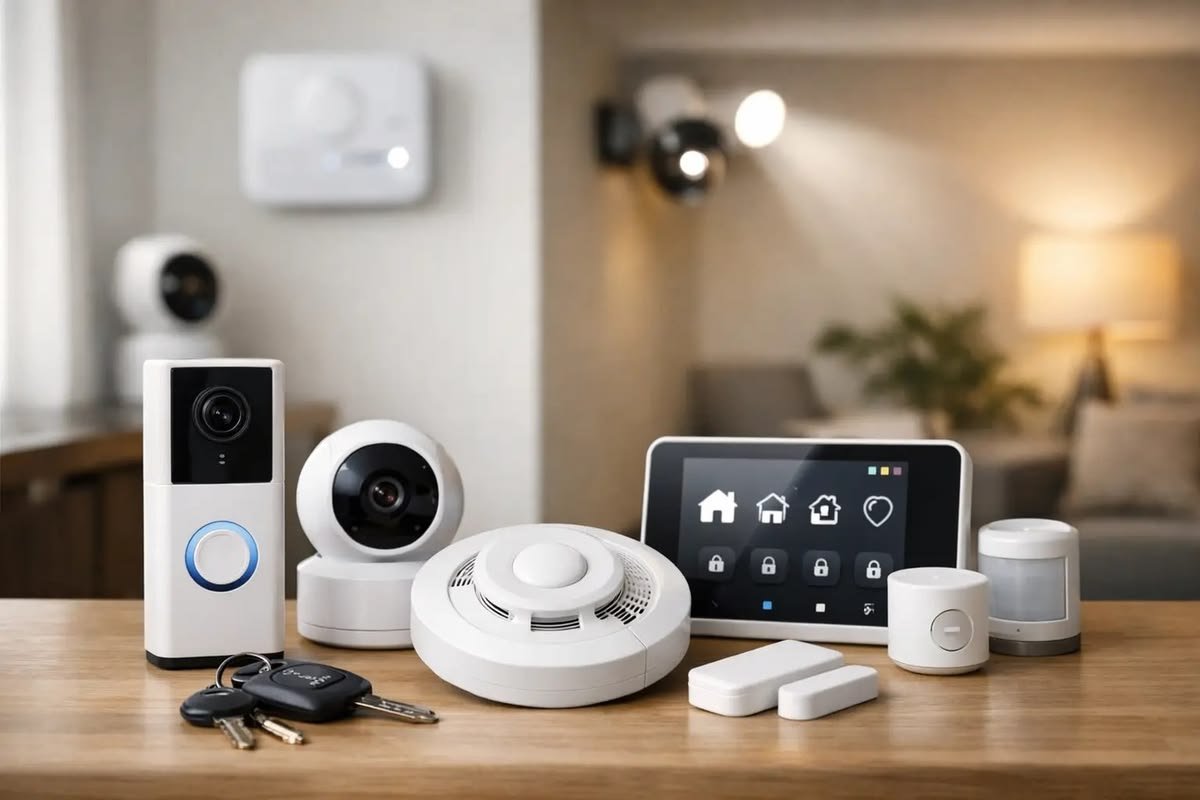
Home security has changed with the growth of connected technology. Traditional locks, alarms, and security systems are still widely used, but smart home security devices can add remote monitoring, notifications, automation, and additional control.
A smart home security system does not have to be complicated. Homeowners and renters can start with a single device, such as a smart doorbell or security camera, and gradually add other products based on their needs.
Smart security devices can help you monitor entrances, detect movement, receive alerts, manage access, and identify potential problems. However, these devices should be installed and configured carefully because they can collect information about activity around your home.
Here are some of the most useful smart home security devices to consider.
1. Smart Doorbells
A smart doorbell combines a traditional doorbell with connected technology. Many models include a camera, microphone, speaker, motion detection, and smartphone notifications.
When someone approaches your entrance, the device can send an alert to your phone. Depending on the model, you may be able to view live video and communicate with the person through two-way audio.
This can be useful when you are away from home or unable to reach the door.
Some smart doorbells can also distinguish between different types of movement. Features vary by manufacturer, so it is important to compare the capabilities of different models.
Before installation, consider the camera’s viewing angle, night vision, internet connection, storage options, and power requirements.
2. Smart Security Cameras
Smart security cameras are among the most common connected security devices.
They can provide video monitoring of selected areas inside or outside the property. Many cameras allow users to view live footage through a smartphone application.
Common features include:
- Motion detection
- Mobile notifications
- Night vision
- Two-way audio
- Video recording
- Activity zones
- Local or cloud storage
An outdoor camera may be useful for monitoring an entrance, driveway, garage, or backyard. Indoor cameras can monitor selected common areas when appropriate.
Camera placement is important. Avoid pointing cameras toward private areas where recording would be inappropriate.
3. Smart Locks
Smart locks provide connected alternatives to traditional door locks.
Depending on the model, a smart lock may support smartphone control, PIN codes, temporary access codes, or other authentication methods.
One benefit is the ability to provide access without physically handing someone a key.
For example, a homeowner may create a temporary code for a trusted visitor. Some models can also provide notifications when the door is locked or unlocked.
Before buying a smart lock, check whether it is compatible with your existing door and lock configuration.
Battery life is another important consideration. Users should understand how the lock behaves when its batteries become low and what backup entry method is available.
4. Motion Sensors
Motion sensors can detect movement in specific areas.
When connected to a smart home system, they can trigger notifications or automation.
For example, a motion sensor near an entrance could send an alert when movement is detected while you are away.
Motion sensors can also work with smart lights. A light could automatically turn on when movement is detected.
Placement affects performance. Furniture, walls, pets, and other objects can influence what a sensor detects.
5. Door and Window Sensors
Door and window sensors are small devices designed to detect whether an entry point is open or closed.
They can be useful for monitoring entrances and selected windows.
A sensor may send a notification when a monitored door or window opens. When integrated with other smart devices, it can also trigger an automation.
For example, opening a door could turn on a hallway light.
These sensors are generally simple to install, making them suitable for people who want to improve monitoring without installing a complete security system.
6. Smart Smoke Detectors
Smoke detection is one of the most important parts of home safety.
Smart smoke detectors add connected features to traditional smoke detection. Depending on the product, they may send smartphone notifications when smoke is detected.
This can be useful when homeowners are away from the property.
Some connected smoke detectors can also provide information about the type of alert or device status through an application.
However, smart features should not replace standard safety practices. Detectors should be installed according to manufacturer instructions and local safety recommendations.
Batteries and detector operation should also be checked regularly.
7. Smart Carbon Monoxide Detectors
Carbon monoxide is a dangerous gas that cannot be detected through normal human senses.
A carbon monoxide detector is designed to alert occupants when dangerous levels are detected.
Smart models can add smartphone notifications and connected monitoring.
This means an alert may be delivered to your phone even when you are not at home, depending on the device and internet connection.
Because carbon monoxide can be dangerous, detector placement and installation should follow the manufacturer’s instructions and local safety requirements.
8. Water Leak Sensors
Home security is not limited to preventing unauthorized entry.
Water leaks can cause serious property damage, making leak sensors useful smart home devices.
A water leak sensor can be placed near areas where leaks could occur, such as under sinks, near water heaters, washing machines, or other plumbing equipment.
When moisture is detected, the sensor may send an alert to a smartphone or trigger another connected action.
Early notification can give homeowners more time to investigate the problem and reduce potential damage.
9. Smart Garage Door Controllers
A smart garage door controller can provide remote monitoring and control of a compatible garage door.
Depending on the model, users may receive notifications when the garage door opens or closes.
Some systems can also allow remote operation through a smartphone application.
This can be useful if you are unsure whether the garage door was closed after leaving home.
Compatibility is important because not every controller works with every garage door opener.
10. Smart Alarm Systems
Smart alarm systems combine multiple security components into a connected system.
A typical system may include a central controller, door sensors, motion sensors, alarms, and smartphone notifications.
Some systems allow users to arm or disarm the alarm through an application.
The benefit of a complete system is that multiple security devices can operate together.
For example, a door sensor may detect an opening while the alarm system is armed, causing the system to send a notification or activate an alarm.
11. Smart Outdoor Lighting
Outdoor lighting can play a role in home security.
Smart outdoor lights can be scheduled to turn on at particular times or controlled through an application.
Motion-activated lighting can illuminate selected areas when movement is detected.
Lighting around entrances, pathways, garages, and other areas can improve visibility.
However, lighting should be planned carefully to avoid excessive glare and unnecessary energy use.
12. Video Doorbells and Cameras With Two-Way Audio
Two-way audio allows users to communicate through certain smart cameras and doorbells.
This feature can be useful when a visitor arrives and you cannot reach the door immediately.
For example, you could communicate with a delivery person through the doorbell’s speaker and microphone.
The feature requires a reliable internet connection and should be configured according to the manufacturer’s privacy and security recommendations.
Privacy and Smart Home Security
Connected security devices can collect video, audio, movement information, and other data.
For this reason, privacy should be considered before installation.
Use strong and unique passwords for security device accounts. Enable two-factor authentication when available.
Keep device firmware and applications updated.
Review privacy settings and understand where recordings are stored.
If a device uses cloud storage, check how long recordings are retained and whether a subscription is required.
For indoor cameras, privacy is especially important. Cameras should only monitor areas where recording is appropriate and expected.
Local Storage vs Cloud Storage
Security cameras may offer local storage, cloud storage, or both.
Local storage can keep recordings on a memory card or another device within the property.
Cloud storage sends recordings to remote servers. This can make footage easier to access from different locations, but it may involve subscription fees and additional privacy considerations.
Before purchasing a camera, understand exactly how recordings are stored, how long they remain available, and what happens if the internet connection is interrupted.
Protecting Your Smart Security Network
Smart security devices should be treated as part of your home’s digital network.
Use a secure Wi-Fi password and modern wireless security settings supported by your router.
Change default passwords when possible.
Keep connected devices updated.
Avoid using the same password across multiple accounts.
Two-factor authentication can provide another layer of protection for accounts that support it.
If your router supports a separate guest or IoT network, you may also consider using network separation for compatible smart devices.
Choosing the Right Security Devices
The best security setup depends on the property and the risks you want to address.
A small apartment may only need a smart doorbell, door sensors, and one camera.
A larger home may benefit from several sensors, outdoor cameras, smart locks, and a connected alarm system.
Consider the following before purchasing:
- Installation requirements
- Device compatibility
- Internet requirements
- Battery life
- Storage options
- Subscription costs
- Privacy controls
- Software update support
- Warranty and manufacturer support
Do not choose a product simply because it has the longest list of features. Focus on features that solve an actual problem.
Common Smart Security Mistakes
One mistake is installing cameras without considering privacy.
Another is ignoring software updates after installation.
Using weak passwords can also create unnecessary security risks.
Some users install cameras but fail to check whether recordings are actually being stored correctly.
It is also important to avoid relying entirely on internet-connected devices for critical safety. Essential smoke and carbon monoxide protection should be maintained according to applicable safety guidance.
Final Thoughts
Smart home security devices can provide additional monitoring and control for modern homes. Smart doorbells, security cameras, smart locks, motion sensors, door sensors, smoke detectors, carbon monoxide detectors, leak sensors, garage controllers, and connected alarm systems can each serve different purposes.
The best approach is to identify the areas that need attention and choose devices accordingly.
Start with the most important entry points or safety concerns rather than purchasing a large collection of devices immediately.
Security and privacy should remain priorities. Use strong passwords, enable two-factor authentication where available, update devices regularly, and understand how your data and recordings are stored.
Smart technology can make home security more convenient, but it works best when combined with sensible physical security practices and regular maintenance. A carefully planned system can provide useful alerts and monitoring without making your home unnecessarily complicated.